
AllPass - Password Manager4.3 - App Store
You'll be able to see results in few seconds.
Publisher Description
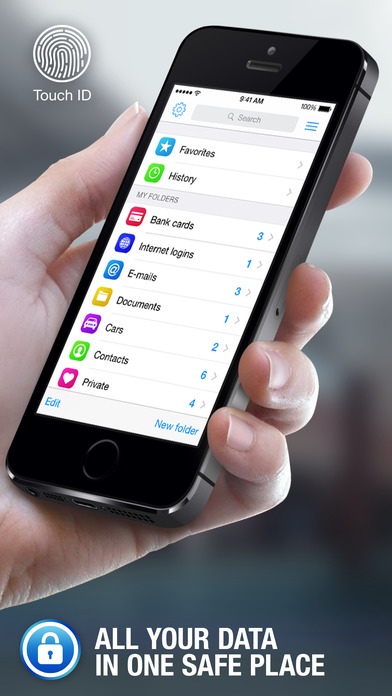
AllPass is an app that keeps all your vital information in one secure vault.
Quick opening of data using Touch ID
Store your logins, credit cards, identities, and secure notes
Log in to websites without having to remember any of your passwords
Fill credit cards and identities without typing
Quickly access your most used items using Favorites and History
Fast search to find what you need
Support Folders for better file organization.You can select a template for any folder to create records as fast as possible
Unlimited number of databases
Encrypts all your data using best and most reliable AES 256-bit encryption
All protection mechanism is offline on your device only
Auto-lock protects your vault even if your device is lost or stolen
Syncs securely with your other iOS devices
Backup & Restore your data via iCloud, Mail or iTunes
Export and import via Mail, iTunes and CSV text files
180 icons to personalize your records
5 standard templates for fast data entry with the ability to create or edit custom templates with unlimited fields
Integration with iOS
Optimized for all types of devices and screen resolutions
Choose the AllPass for storing important information and your digital life will become more comfortable and safe.
Requires iOS 7.0 or later. Compatible with iPhone, iPad, and iPod touch.
About AllPass - Password Manager
The company that develops AllPass - Password Manager is Alexander Troitsky. The latest version released by its developer is 4.3.
To install AllPass - Password Manager on your iOS device, just click the green Continue To App button above to start the installation process. The app is listed on our website since 2012-03-12 and was downloaded 0 times. We have already checked if the download link is safe, however for your own protection we recommend that you scan the downloaded app with your antivirus. Your antivirus may detect the AllPass - Password Manager as malware if the download link is broken.
How to install AllPass - Password Manager on your iOS device:
- Click on the Continue To App button on our website. This will redirect you to the App Store.
- Once the AllPass - Password Manager is shown in the iTunes listing of your iOS device, you can start its download and installation. Tap on the GET button to the right of the app to start downloading it.
- If you are not logged-in the iOS appstore app, you'll be prompted for your your Apple ID and/or password.
- After AllPass - Password Manager is downloaded, you'll see an INSTALL button to the right. Tap on it to start the actual installation of the iOS app.
- Once installation is finished you can tap on the OPEN button to start it. Its icon will also be added to your device home screen.
Program Details
System requirements
Download information
Pricing
Version History
version 4.3
posted on 2012-03-12
Disclaimer
Official App Store Link
We do not host AllPass - Password Manager on our servers. We did not scan it for viruses, adware, spyware or other type of malware. This app is hosted by Apple and passed their terms and conditions to be listed there. We recommend caution when installing it.
The App Store link for AllPass - Password Manager is provided to you by apps112.com without any warranties, representations or guarantees of any kind, so access it at your own risk.
If you have questions regarding this particular app contact the publisher directly. For questions about the functionalities of apps112.com contact us.
